

Unlocking Meeting Productivity with Effective Note-Taking
Meetings are essential, but unproductive meetings waste time and resources. A good meeting notes template can transform unproductive meetings into effective work sessions. This listicle presents seven diverse templates to boost your meeting productivity. Learn how to use the Cornell, Bullet Journal, SOAP, Mind Map, 5W, Action-Centered, and Digital Kanban Board methods for note-taking. Find the ideal template to streamline your workflow and maximize meeting outcomes, regardless of your meeting’s purpose.
1. Cornell Notes Method Template
The Cornell Notes method, developed by Walter Pauk at Cornell University, offers a structured approach to note-taking that translates exceptionally well to meeting documentation. It’s based on a simple yet powerful three-part layout: a narrow “cue” column on the left, a wider note-taking column on the right, and a summary section at the bottom. This system facilitates active listening during the meeting and allows for efficient review and recall of key information afterward.
This method shines in meetings where capturing action items, decisions, and key discussion points is crucial. By utilizing the left-hand cue column for keywords, questions, and action items, you create an immediate visual index of the meeting’s most important takeaways. The larger right-hand column allows for detailed note-taking, capturing the context and nuances of discussions.

Features and Benefits:
- Left Narrow Column (Cue Column): This space is reserved for jotting down key points, questions that arise during the discussion, and most importantly, action items assigned to team members.
- Right Wide Column (Note-Taking Column): Here, you capture the details of the discussion, providing context for the key points listed in the cue column.
- Summary Section: Located at the bottom of the page, this section is dedicated to summarizing the meeting outcomes, key decisions made, and outlining next steps.
- Hierarchical Organization: The clear visual structure makes it easy to scan, review, and locate specific information quickly.
Pros:
- Excellent for Quick Review: The structured layout and cue column make it easy to find key information at a glance.
- Action Item Identification: The left column provides a dedicated space for noting and tracking action items, ensuring nothing falls through the cracks.
- Built-in Summary: The bottom section prompts the creation of a concise summary, ideal for sharing with team members and future reference.
- Encourages Active Listening: The act of distilling information into key points and questions promotes active participation and engagement during the meeting.
Cons:
- Too Structured for Informal Meetings: For quick check-ins or brainstorming sessions, the Cornell method might feel overly formal.
- Requires Practice: Getting the most out of this method requires some initial effort to master the workflow.
- Pre-Meeting Preparation: Setting up the template beforehand is essential for seamless note-taking.
- Not Ideal for Visual Discussions: Meetings heavily reliant on visual aids or unstructured brainstorming might not be well-suited to this format.
Examples of Successful Implementation:
- Widely used in academic settings for lecture notes, proving its effectiveness in capturing and organizing complex information.
- Adopted by companies like Microsoft for executive summaries, streamlining the process of disseminating key meeting takeaways.
- Popular in legal firms for documenting case meetings, ensuring accurate and readily accessible records.
Tips for Entrepreneurs and Business Owners:
- Prepare the template before the meeting. Having the structure ready allows you to focus on the discussion.
- Use the left column to highlight decisions and action items. This creates a clear action plan.
- Complete the summary section immediately after the meeting while the information is fresh in your mind.
- Consider color-coding for different types of information (e.g., action items in red, decisions in blue).
- Review and revise your notes within 24 hours of the meeting to solidify learning and identify any missing information.
The Cornell Notes method earns its place on this list because it transforms meeting notes from passive recordings into active tools for driving action and follow-up. Its structured approach, combined with the built-in summary section, empowers entrepreneurs and business owners to capture, organize, and utilize meeting information effectively, leading to better outcomes and increased productivity. Popularized by Walter Pauk, Cal Newport, and even integrated into tools like Microsoft Teams, this method has proven its value across a variety of fields.
2. Bullet Journal Meeting Notes Template
The Bullet Journal (BuJo) meeting notes template offers a highly effective, analog approach to capturing and organizing meeting information. Based on Ryder Carroll’s popular Bullet Journal method, this system utilizes a combination of rapid logging, concise phrasing, and visual cues to create easily scannable and actionable notes. It’s a powerful alternative to traditional linear note-taking, allowing you to quickly identify key takeaways, action items, and decisions made during a meeting. This method emphasizes brevity, clarity, and visual organization through a flexible system of bullets that denote different types of information, such as tasks, notes, and important points.
This method works by assigning specific bullet points to categorize information: a simple dot (•) signifies a task, a dash (-) represents a note, and an asterisk (*) highlights an important point. Signifiers like an exclamation point (!) for high priority and a question mark (?) for items requiring clarification add another layer of organization. This visual system allows you to quickly scan your notes and prioritize follow-up actions. Page numbering and indexing further enhance the system, enabling easy cross-referencing and tracking of information across multiple meetings.
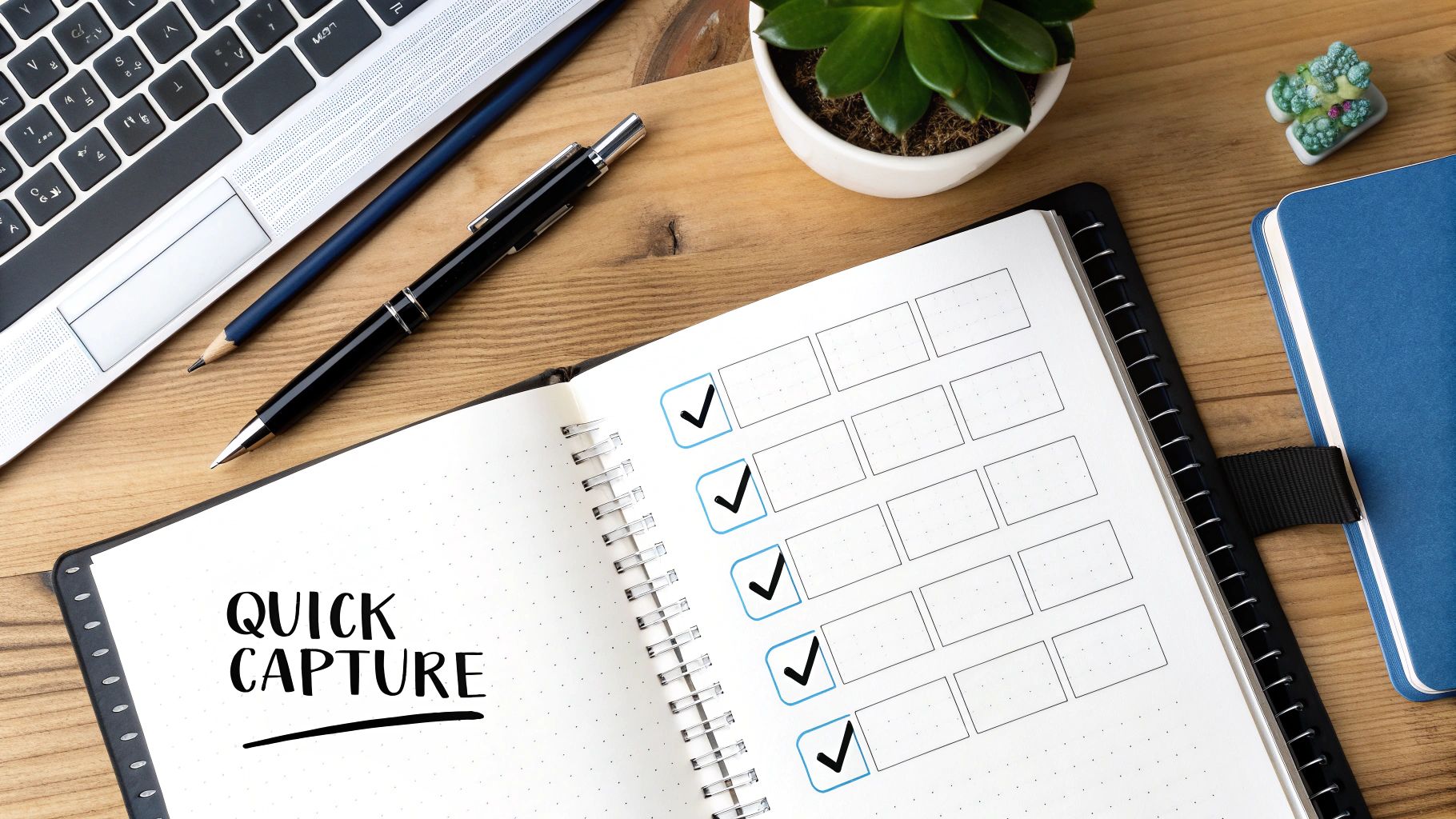
The Bullet Journal method has seen successful implementation across diverse organizations. Project managers at Spotify have utilized it for streamlined daily stand-ups, while numerous startups have integrated it into their agile development meetings. Its flexibility and ease of use have also made it a favorite among executive assistants responsible for managing multiple meetings and complex schedules. This demonstrates the adaptability of the BuJo method across various meeting types and organizational structures.
When and why should you use this approach? The BuJo method shines in situations that demand rapid note-taking and efficient follow-up. It’s particularly well-suited for fast-paced meetings, brainstorming sessions, or any scenario where capturing key decisions and action items quickly is paramount. For entrepreneurs and business owners constantly juggling multiple priorities, this system provides a powerful tool for staying organized and ensuring that nothing slips through the cracks.
Features and Benefits:
- Rapid Logging: Quickly capture information using simple bullet symbols.
- Visual Clarity: Easily differentiate between tasks, notes, and crucial points.
- Prioritization: Signifiers help highlight urgent or important items.
- Flexibility: Adaptable to any meeting type or context.
- Portability: No need for digital devices or special software.
Pros:
- Extremely fast note-taking method
- Highly scannable format
- Easily distinguishes between tasks, notes, and important points
- Adaptable to any meeting style or context
- No need for digital tools or special equipment
Cons:
- Requires learning the bullet system notation
- May be too condensed for complex technical discussions
- Lacks formal structure for very complex meetings
- Can become disorganized without discipline
Tips for Effective Implementation:
- Create a Key: Start your notebook with a key explaining your bullet symbols and signifiers.
- Standard Bullets: Use an open dot (○) for tasks, a dash (-) for notes, and an asterisk (*) for important points.
- Post-Meeting Review: Review your notes after the meeting to mark completed tasks or items requiring follow-up.
- Recurring Meetings: Create dedicated collections for recurring meetings to track progress over time.
- Develop Shorthand: Use shorthand for commonly used terms in your industry to further speed up note-taking.
The Bullet Journal Meeting Notes Template earns its place on this list because it provides a low-tech, yet highly effective solution for managing meeting information. Its minimalist nature, combined with its emphasis on actionable outcomes, makes it a valuable tool for entrepreneurs and business owners seeking a streamlined and organized approach to meeting management.
3. SOAP Meeting Notes Template
The SOAP (Subjective, Objective, Assessment, Plan) meeting notes template, originally designed for medical documentation, offers a structured and comprehensive approach to recording and tracking meeting progress. Its systematic framework helps separate facts from opinions, clarifies decision rationale, and fosters actionable follow-up plans, making it a valuable tool for entrepreneurs and business owners seeking efficient and productive meetings.
How It Works:
The SOAP method divides meeting notes into four distinct sections:
- Subjective (S): This section captures the subjective perspectives, opinions, and feelings expressed by participants. It’s the place to document stakeholder concerns, initial brainstorming ideas, and general discussions.
- Objective (O): This section focuses solely on verifiable facts, data points, metrics, and observations. It provides an objective record of the information presented during the meeting, free from interpretations or biases.
- Assessment (A): Here, the team’s analysis of the objective data is recorded. This section includes conclusions drawn, decisions made, and the rationale behind those decisions. It bridges the gap between raw information and actionable insights.
- Plan (P): This section outlines the concrete next steps, action items, assigned responsibilities, and deadlines. It transforms decisions into a clear and actionable plan for moving forward.
Why This Template Deserves Its Place in the List:
The SOAP method provides a robust framework that goes beyond simply recording what was said. It promotes a logical progression from information gathering to analysis and finally to action planning. This structured approach facilitates clear communication, minimizes ambiguity, and ensures that meetings translate into tangible outcomes.
Features and Benefits:
- Structured Format: The clearly defined sections ensure organized and comprehensive documentation, making it easy to locate specific information later.
- Separation of Facts from Opinions: Distinguishing between subjective viewpoints and objective data promotes clarity and informed decision-making.
- Transparent Decision-Making: The Assessment section makes the reasoning behind decisions clear and traceable, fostering accountability and understanding.
- Actionable Follow-Up: The Plan section ensures that meetings result in concrete actions with assigned owners and deadlines.
Pros:
- Comprehensive documentation of both process and outcomes
- Clear separation of facts from interpretations
- Transparent and traceable decision rationale
- Excellent for problem-solving meetings
- Creates actionable follow-up plans
Cons:
- Can be overkill for brief or informal meetings
- Requires practice to categorize information properly
- May slow down note-taking for fast-paced discussions
- Can feel clinical or overly structured
Examples of Successful Implementation:
- McKinsey & Company uses a version of SOAP for client consultation meetings.
- Healthcare administrators have adapted it for non-clinical administrative meetings.
- Salesforce has implemented it for customer problem-resolution discussions.
Actionable Tips:
- Subjective: Use this section for stakeholder concerns and inputs. Focus on capturing the “why” behind their perspectives.
- Objective: Keep this section strictly fact-based, including data points, metrics, and observations. Avoid interpretations or opinions.
- Assessment: Document the group’s analysis and conclusions. Clearly state the decisions made and the rationale behind them.
- Plan: Make this section highly specific with named owners, action items, and deadlines. Use SMART goals (Specific, Measurable, Achievable, Relevant, Time-bound).
- Bonus Tip: Consider adding a fifth section for “Follow-up” to track progress between meetings.
Popularized By:
While Dr. Lawrence Weed created SOAP notes for medical purposes, its adaptation for business contexts has been influenced by organizations like the Project Management Institute and healthcare management consultancies.
By implementing the SOAP meeting notes template, entrepreneurs and business owners can transform their meetings from passive discussions into active drivers of progress and achieve more effective outcomes.
4. Mind Map Meeting Notes Template
The Mind Map Meeting Notes Template offers a dynamic and visual approach to capturing meeting information, moving away from traditional linear note-taking. Instead of sequential lists, this method uses a radial structure, branching out from a central topic, usually the meeting’s objective. Main themes radiate outwards from this core, with sub-topics and details extending further like branches of a tree. This visual format excels at capturing the relationships between ideas, showcasing hierarchy, and tracking the flow of discussions in a way that linear notes often struggle to achieve.
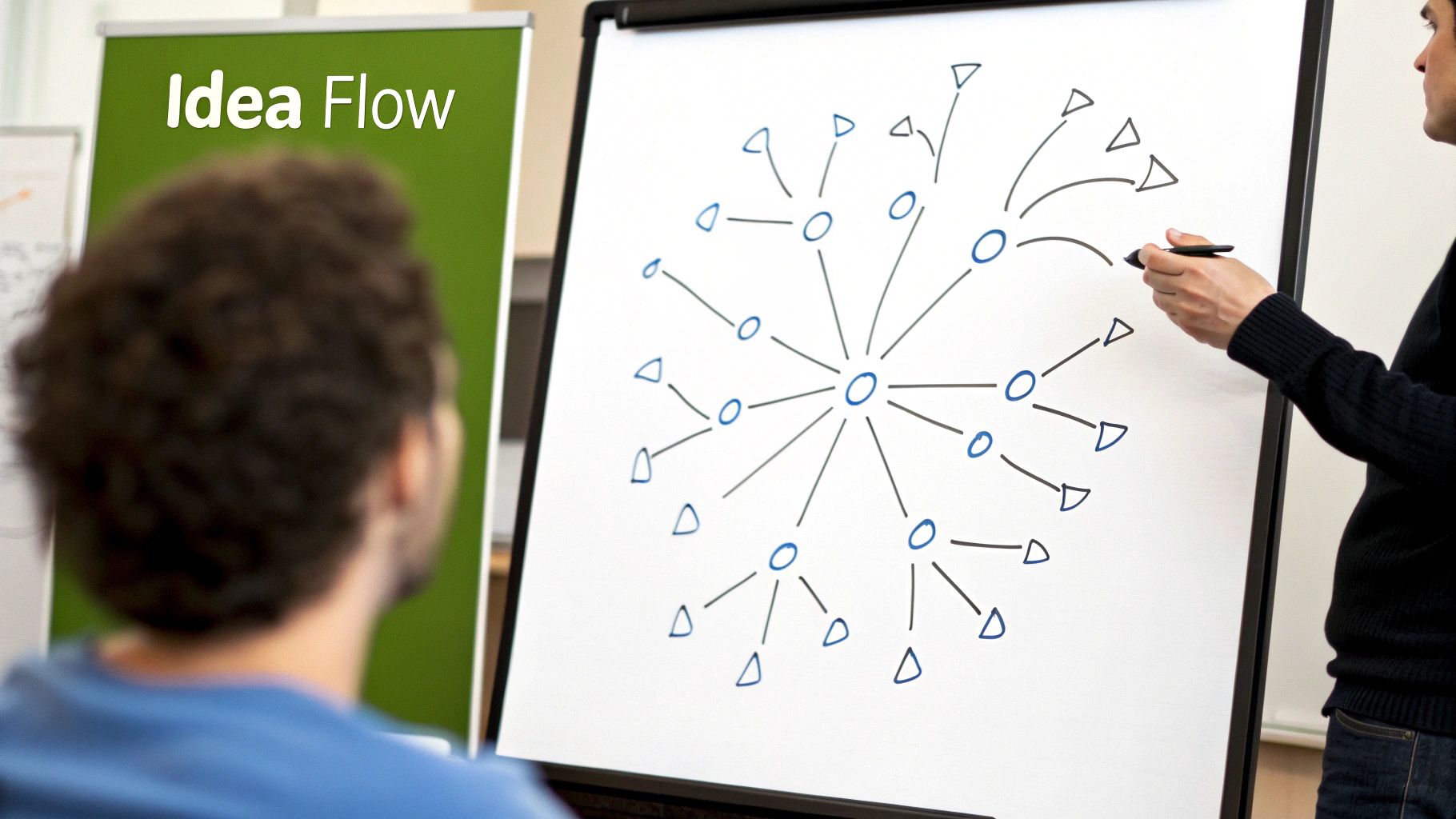
This template is particularly effective for brainstorming sessions, creative meetings, and complex problem-solving discussions where capturing the free flow of ideas is paramount. Its visual nature makes it easy to see how different concepts connect and how the conversation evolves. Companies like IDEO and Apple have reportedly utilized mind mapping in their creative processes, demonstrating its value in fostering innovation and product development. Similarly, advertising agencies often employ this technique for campaign planning, leveraging its visual strength to map out complex strategies.
Features:
- Central topic: Clearly defines the meeting’s focus.
- Radiating main themes: Branches out from the central topic to represent key discussion points.
- Hierarchical structure: Shows the relationships and dependencies between ideas.
- Visual organization: Uses branches and sub-branches for clear visual representation.
- Flexibility: Allows the structure to organically evolve with the conversation.
- Incorporation of visuals: Can include colors, symbols, and images to enhance understanding and engagement.
Pros:
- Captures the natural flow and connections of ideas effectively.
- Excellent for visual thinkers, facilitating better understanding and recall.
- Shows relationships between topics at a glance.
- Engages the creative side of the brain, encouraging innovative thinking.
- Aids in information recall and pattern recognition.
Cons:
- Can become cluttered and difficult to manage for very detailed meetings.
- Sharing digitally can require specialized software like MindMeister or XMind.
- May be challenging for linear thinkers to adapt to.
- Not ideal for meetings with highly structured agendas or those requiring detailed minutes.
- Can be time-consuming to create neatly, especially by hand.
Tips for Effective Mind Mapping:
- Use different colors for different speakers or themes to improve visual organization.
- Start with pencil to allow for easy rearrangement and adjustments during the meeting.
- Digitize your mind map after the meeting for easy sharing and storage.
- Use symbols (!, *, ?) to highlight action items or important points.
- Practice creating mind maps for personal use to become comfortable with the technique before implementing it in meetings.
The Mind Map Meeting Notes Template earns its place on this list because it provides a powerful alternative to traditional note-taking. For entrepreneurs and business owners leading brainstorming sessions, workshops, or creative meetings, mind mapping can be a game-changer. It fosters a more engaging and dynamic environment, allowing participants to visually explore and connect ideas in a way that linear notes simply can’t replicate. While it may not be suitable for every meeting type, its ability to unlock creativity and enhance understanding makes it a valuable tool for any business looking to innovate and thrive.
5. 5W Meeting Notes Template
The 5W Meeting Notes Template, grounded in journalistic principles, offers a structured approach to capturing meeting information by addressing the fundamental questions of Who, What, When, Where, and Why. This method ensures comprehensive documentation by systematically recording who participated, the topics discussed, scheduled action items, relevant resource locations, and the reasoning behind decisions. Some variations incorporate “How” (5W1H), adding a layer of detail regarding implementation methods.
How it Works:
The template provides dedicated sections for each of the 5Ws (and sometimes H). This allows note-takers to categorize information effectively, making it easy to retrieve specific details later. For example, under “Who,” you list attendees and assign responsibilities. “What” captures discussion topics and decisions. “When” tracks deadlines and milestones. “Where” pinpoints locations of resources or relevant project sites. Crucially, “Why” documents the rationale behind decisions, providing invaluable context for future reference.
Features and Benefits:
- Dedicated sections for 5Ws (and sometimes H): Facilitates organized and structured note-taking.
- Clear attribution of comments and responsibilities: Enhances accountability and follow-up.
- Timestamp capabilities for action deadlines: Improves time management and progress tracking.
- Purpose documentation for future reference: Provides context and justification for decisions.
Pros:
- Ensures comprehensive information capture: Minimizes the risk of overlooking important details.
- Makes accountability clear with the ‘Who’ section: Facilitates follow-up and task assignment.
- Creates a natural timeline with the ‘When’ section: Tracks progress and deadlines efficiently.
- Provides context and rationale through the ‘Why’ section: Aids in understanding the decision-making process.
- Easy to learn and implement without special training: Accessible to anyone, regardless of experience.
Cons:
- Can feel repetitive for simple meetings: May be overkill for routine check-ins or brief discussions.
- May create artificial divisions in flowing conversations: Can disrupt the natural flow of brainstorming sessions.
- Sometimes results in redundant information: Certain details might fall under multiple Ws, leading to repetition.
- Less effective for creative or brainstorming sessions: The structured format can hinder free-flowing ideation.
Examples of Successful Implementation:
- Government Agencies: Standard practice for policy meetings to ensure transparency and record-keeping.
- Journalism: Used by reporters to accurately capture information during press conferences and interviews.
- Amazon: Employed in project kickoff meetings to ensure all critical elements are addressed and documented.
Actionable Tips:
- Create a table with columns for each of the Ws: This provides a visual structure for organizing your notes.
- Use the ‘Who’ section to track both attendees and responsible parties: Clearly designates who is accountable for each action item.
- Be specific with ‘When’ by including exact dates and times: Avoid ambiguity and ensure timely follow-up.
- Use the ‘Why’ section to document decision rationale for future reference: Provides valuable context for understanding past choices.
- Consider adding a ‘How Much’ section for budget discussions: Tracks financial implications of decisions.
Popularized By:
- Joseph Pulitzer: Pioneered the 5W approach in journalism.
- Six Sigma Methodology: Adapted the 5Ws for business process improvement.
- Asana: Incorporated the 5W framework into their project management templates.
Why this template deserves its place in the list:
The 5W Meeting Notes Template offers a simple yet powerful way to ensure thorough and organized meeting documentation. Its structured approach facilitates clear communication, accountability, and efficient follow-up. While it may not be ideal for every meeting type, its versatility and ease of use make it a valuable tool for entrepreneurs and business owners seeking to improve meeting effectiveness and record-keeping.
6. Action-Centered Meeting Notes Template
The Action-Centered Meeting Notes template is a highly effective method for documenting meetings, focusing specifically on actionable outcomes rather than detailed discussions. It prioritizes clarity and follow-through by emphasizing decisions made, assigned action items, owners of those actions, and firm deadlines. This minimalist approach streamlines the note-taking process and ensures that meetings translate directly into tangible progress. Instead of lengthy transcriptions of every conversation point, the Action-Centered template cuts to the chase, providing a clear roadmap for what needs to be done after the meeting adjourns.
This approach works by shifting the focus from comprehensive documentation to a concise record of agreed-upon actions. The template typically begins with a brief statement of the meeting’s objective, followed by a structured list of action items. Each action item includes three crucial components: the task itself (expressed as a verb-noun phrase), the individual responsible for completing it, and the deadline for completion. This format ensures accountability and provides a clear framework for tracking progress.

Companies like Amazon, Google, and Toyota have successfully implemented variations of action-centered meeting structures. Amazon’s famous six-page memos, often used for decision-making meetings, prioritize concise action plans. Google utilizes a similar approach for their OKR (Objectives and Key Results) sessions, ensuring clear ownership and deadlines for achieving key results. Even Toyota, renowned for its lean manufacturing principles, employs action-centered methods in their team meetings to drive efficient execution.
Actionable Tips for Implementing Action-Centered Meeting Notes:
- Begin with a concise meeting objective statement: Clearly define the purpose of the meeting to guide the discussion and resulting action items.
- Format action items using verb-noun phrases: For example, use “Finalize marketing plan” instead of “Discussion about the marketing plan.” This promotes clarity and focuses on concrete tasks.
- Always include “what,” “who,” and “by when” for each action item: This establishes clear accountability and deadlines.
- Consider adding a priority level to each action item: This helps prioritize tasks and allocate resources effectively.
- Distribute the action-centered notes immediately after the meeting: This ensures everyone is on the same page and can begin working on their assigned tasks promptly.
When and Why to Use This Approach:
The Action-Centered Meeting Notes template is ideal for decision-making meetings, recurring operational meetings, and project update meetings. It excels in situations where efficient execution and clear accountability are paramount. It’s particularly beneficial for fast-paced environments and teams focused on achieving specific goals.
Pros:
- Cuts through meeting verbosity and focuses on concrete outcomes.
- Creates clear accountability with assigned owners for each action.
- Drives follow-through with specific deadlines.
- Reduces note-taking time significantly.
- Highly effective for recurring operational meetings.
Cons:
- May miss important context or nuances of discussions.
- Not suitable for exploratory or brainstorming meetings.
- Can oversimplify complex decisions requiring in-depth analysis.
- Provides limited historical reference for how decisions were reached.
This template earns its place on this list because it offers a powerful solution to common meeting inefficiencies. By focusing solely on actionable outcomes, it ensures that meetings translate into tangible results and promotes a culture of accountability and execution. This makes it a valuable tool for entrepreneurs and business owners looking to maximize the productivity of their meetings.
7. Digital Kanban Board Meeting Notes Template
The Digital Kanban Board Meeting Notes template offers a dynamic and visual approach to meeting documentation, ideal for project-focused teams and agile workflows. It leverages the principles of Kanban, a visual workflow management system, to track discussion items, decisions, and action items throughout a meeting and beyond. Instead of static notes, this template uses a board with customizable columns representing different categories or statuses (e.g., “Discussed,” “Decisions Made,” “Action Items,” “Completed”). Individual cards within each column contain specific topics, decisions, or tasks. These cards can be moved across the board as they progress, providing a real-time view of the meeting’s outcomes and the subsequent workflow.
This method seamlessly blends meeting documentation with project management. It’s not just about recording what was said; it’s about translating discussions into actionable steps and tracking their completion. This visual and interactive format encourages active participation and ensures everyone stays informed about the project’s status.
How it Works:
The core functionality revolves around the visual board and its movable cards. Each card represents a specific topic, decision, or action item. As the meeting progresses, cards are created, discussed, and moved across the columns according to their status. This provides a clear visual representation of the workflow. Most digital Kanban tools also offer features like commenting, file attachments, and assigning cards to specific team members, further enhancing collaboration and accountability.
Examples of Successful Implementation:
Several leading companies have adopted digital Kanban boards for meeting management:
- Atlassian: Uses this method internally for product development meetings, facilitating real-time progress tracking and team alignment.
- Spotify: Agile squads within Spotify frequently use a standard Kanban board format for their meetings, enhancing their agile workflow.
- Microsoft Teams: Leverages Kanban boards for product integration meetings, ensuring smooth collaboration and visibility across teams.
Actionable Tips:
- Start Simple: Begin with basic column structures like “Discussed,” “Decisions Made,” “Action Items,” and “Completed.” As your team gets comfortable, you can add more specific columns.
- Create Templates: For recurring meetings, establish templates to save setup time. These templates can include pre-defined columns and even recurring tasks.
- Use Color-Coding: Differentiate between item types or priorities using color-coded cards for quick visual identification.
- Assign Ownership: Assign cards to specific team members to ensure accountability and clarity on responsibilities.
- Regular Clean-Up: Schedule regular board clean-up sessions to archive completed items and maintain a clear and focused board.
Pros and Cons:
Pros:
- Visual representation of meeting outcomes
- Seamless transition from documentation to implementation
- Visible progress for all stakeholders
- Excellent for ongoing project discussions
- Supports asynchronous follow-up and collaboration
Cons:
- Requires digital tools for effective implementation
- Less suitable for confidential or sensitive meetings
- Can encourage focus on tasks over strategic discussion
- Learning curve for team members unfamiliar with Kanban
- May not capture nuanced discussions well
When and Why to Use This Approach:
This template is particularly beneficial for:
- Project-focused meetings: Where decisions lead to actionable tasks and require ongoing tracking.
- Agile teams: Where iterative progress and visual workflow management are essential.
- Teams seeking enhanced collaboration: The visual nature and collaborative features of digital Kanban boards facilitate shared understanding and efficient teamwork.
Popularized By:
The concept of Kanban originated with Taiichi Ohno and the Toyota Production System. Digital Kanban boards were later popularized by tools like Trello. Platforms like Asana and Monday.com have further integrated Kanban into meeting workflows.
This template earns its place in the list because it transforms meeting notes from a passive record into an active project management tool. It fosters transparency, accountability, and efficient execution, making it a valuable asset for entrepreneurs and business owners leading dynamic teams and projects.
7 Meeting Notes Templates: Side-by-Side Comparison
| Template | 🔄 Implementation Complexity | ⚡ Resource Requirements | 📊 Expected Outcomes | 💡 Ideal Use Cases | ⭐ Key Advantages |
|---|---|---|---|---|---|
| Cornell Notes Method Template | Medium – Requires pre-meeting setup and structured layout | Low to Moderate – Paper/digital note tools | Organized notes with clear action items and summary | Academic lectures, legal meetings, executive briefings | Easy review, clear task highlights, built-in summary |
| Bullet Journal Meeting Notes Template | Low – Quick setup using bullet notation | Minimal – Pen and notebook | Rapid, scannable notes with differentiated tasks | Agile projects, startups, daily standups | Fast, adaptable, no digital tool required |
| SOAP Meeting Notes Template | Medium – Structured sections may slow fast discussions | Moderate – Familiarity with format needed | Comprehensive documentation with clear rationale | Problem-solving sessions, technical discussions | Clear separation of facts/opinions, traceable decision logic |
| Mind Map Meeting Notes Template | High – Requires skill in non-linear visual mapping | Moderate – Paper/digital mind mapping tools | Visual capture of ideas and relationships, organized brainstorming | Creative meetings, brainstorming sessions | Visualized connections, flexible structure |
| 5W Meeting Notes Template | Low – Straightforward question-based format | Minimal – Basic note-taking tools | Complete capture of meeting details with clear accountability | Policy meetings, press briefings, project kickoffs | Clear context, accountability, natural timeline creation |
| Action-Centered Meeting Notes Template | Low – Minimal focus on discussion, emphasis on actions | Minimal – Quick setup with simple tools | Direct action items with designated owners and deadlines | Operational meetings, decision-making sessions | Efficiency, clear accountability, rapid follow-through |
| Digital Kanban Board Meeting Notes Template | High – Setup intensive, digital tool integration | High – Requires specialized software | Dynamic visual workflow tracking with progress updates | Agile teams, project management meetings | Visual management, seamless transition to execution |
Choosing the Right Meeting Notes Template for Your Needs
From the Cornell Method’s structured approach to the visual clarity of Mind Maps and the action-oriented focus of the Action-Centered template, we’ve explored a diverse range of meeting notes templates. The key takeaway is that there’s no one-size-fits-all solution. The most effective template is the one that best aligns with your meeting’s purpose, your team’s dynamics, and your personal note-taking preferences. We’ve covered templates ideal for brainstorming (Mind Map), problem-solving (SOAP), and action planning (Action-Centered), among others. Mastering these different approaches empowers you to extract maximum value from every meeting, ensuring no crucial detail gets lost and every actionable item is clearly defined.
Beyond simply recording information, effective meeting notes become a powerful tool for tracking progress, fostering accountability, and driving projects forward. If you’re looking for ways to streamline your meetings and improve overall productivity, consider exploring various project management software options. These tools can help with task allocation, deadline tracking, and overall project organization. Source: 2025 Project Management Software Comparison: Top Tools from Pickalternative. By combining the right note-taking template with robust project management practices, you can transform your meetings from time-consuming obligations into dynamic engines of progress.
The future of your business hinges on effective communication and efficient execution. Embrace the power of organized meeting notes and watch your productivity soar. Ready to take your meeting notes to the next level and seamlessly integrate them with your project management workflow? Explore PepoSmart and discover how its features can streamline your note-taking process and boost team collaboration.